
Small JavaScript techniques can eliminate repetitive code, simplify logic, and speed up everyday development. Here are 9 practical hacks every developer should know.
9 Tiny JavaScript Hacks That Save Your Time
Frontend and backend developers often spend time writing repetitive code for simple tasks, such as checking values, cloning objects, filtering arrays, or handling defaults.
Modern JavaScript already provides concise features and shortcuts that make code cleaner and faster to write.
These tiny JavaScript hacks aren’t complex tricks; they’re practical patterns that improve productivity and readability in everyday development.
Let’s explore 9 simple JavaScript techniques that can save you time.
1. Use ?? Instead of || for Default Values
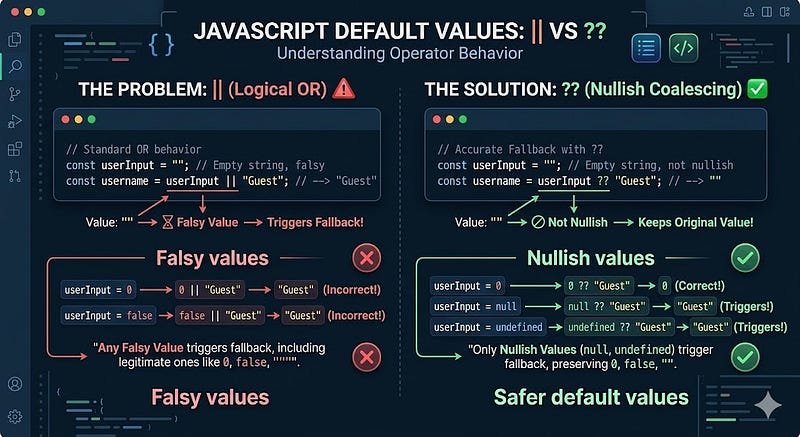
Many developers use || to provide fallback values.
Example
const username = userInput || "Guest";
This works, but it treats 0, false, and empty strings as false values.
Better Approach: Nullish Coalescing (??)
const username = userInput ?? "Guest";
Now the default value only applies when the value is:
nullundefined
Why This Matters
const count = 0;

console.log(count || 10); // 10
console.log(count ?? 10); // 0
Use ?? when you want safer default values.
2. Use Destructuring to Extract Values Quickly

Instead of repeating object references, use destructuring.
Before
const name = user.name;
const email = user.email;
const age = user.age;
After
const { name, email, age } = user;
Benefits
- Cleaner syntax
- Less repetition
- Easier to read
You can also rename variables:
const { name: username } = user;
3. Use Optional Chaining to Avoid Errors
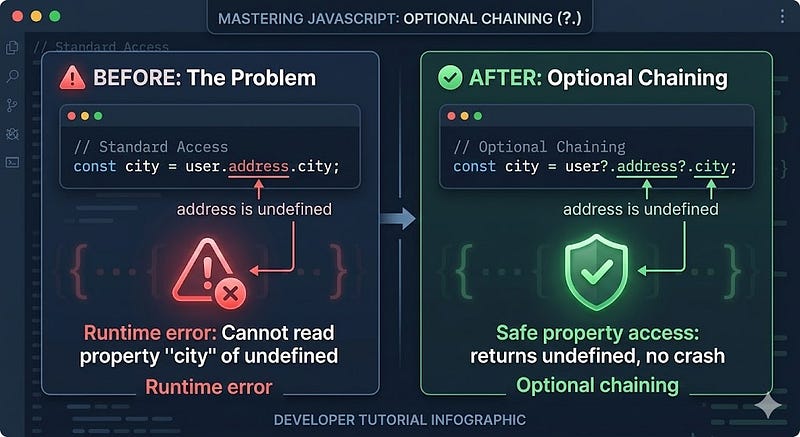
Accessing nested properties can cause runtime errors.
Problem
const city = user.address.city;
If address is undefined, the code crashes.
Solution: Optional Chaining
const city = user?.address?.city;
If any level is missing, the result becomes undefined.
Why Developers Love It
- Prevents runtime errors
- Cleaner than multiple condition checks
4. Use Array .at() for Cleaner Indexing

Accessing the last element of an array is common.
Old Way
const lastItem = arr[arr.length - 1];
Modern Way
const lastItem = arr.at(-1);
Example
const numbers = [10, 20, 30];

console.log(numbers.at(-1)); // 30
Cleaner and easier to read.
5. Convert Values to Boolean with !!

Sometimes you need a quick Boolean conversion.
Example
const isLoggedIn = !!user;
Explanation:
!converts the value to a boolean and negates it!!converts value to a proper boolean
Example
console.log(!!"hello"); // true
console.log(!!0);       // false
Useful for validations and conditional logic.
6. Use Object Shorthand
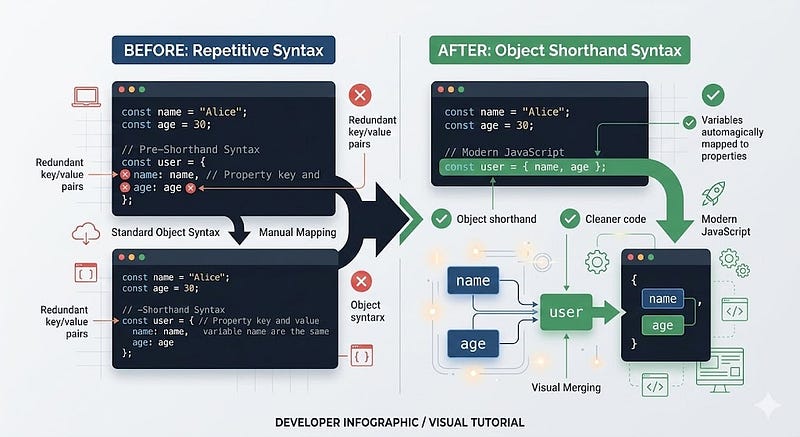
When object keys and variables share the same name, use shorthand.
Before
const name = "Ali";
const age = 25;

const user = {
  name: name,
  age: age
};
After
const user = { name, age };
Why It’s Better
- Less code
- Cleaner object creation
- Standard modern JavaScript practice
7. Remove Duplicates from Arrays Quickly
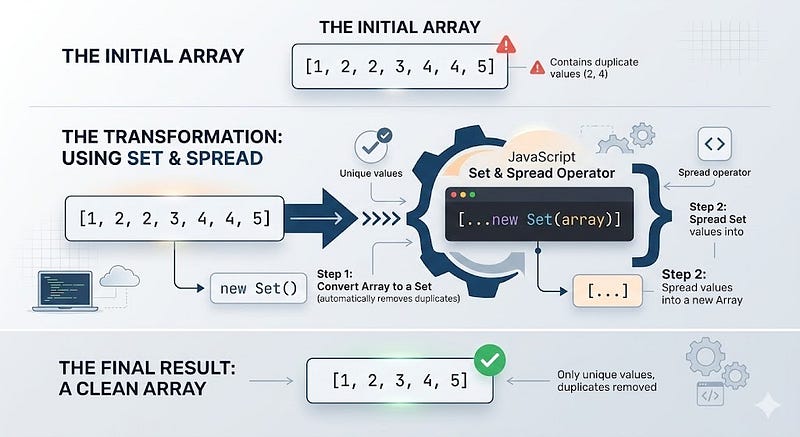
Removing duplicates often requires loops.
Simple Trick
const unique = [...new Set(array)];
Example
const numbers = [1,2,2,3,4,4,5];

const uniqueNumbers = [...new Set(numbers)];

console.log(uniqueNumbers);

// [1,2,3,4,5]
Why It Works
Setonly stores unique values- Spread operator converts it back to an array
8. Use console.table() for Debugging
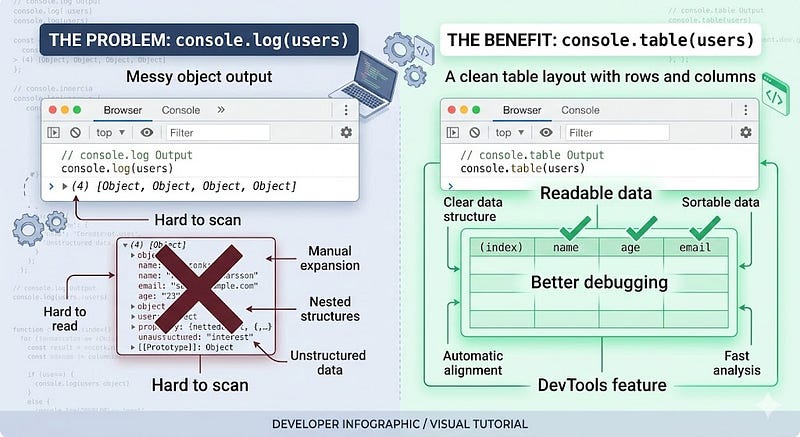
Debugging arrays or objects can get messy.
Normal Logging
console.log(users);
Better Debugging
console.table(users);
Example output shows data in table format inside DevTools, making it easier to inspect.
This is extremely useful when working with:
- API responses
- arrays of objects
- datasets
9. Use Template Literals Instead of String Concatenation

String concatenation is harder to read.
Before
const message = "Hello " + name + ", welcome!";
After
const message = `Hello ${name}, welcome!`;
Benefits
- Cleaner syntax
- Supports multi-line strings
- Easier to maintain
Example:
const html = `
<div>
  <h1>${title}</h1>
  <p>${description}</p>
</div>
`;
Next Steps
To level up your JavaScript workflow:
- Start using modern ES6+ syntax in everyday code.
- Explore built-in APIs like Map, Set, and WeakMap.
- Use DevTools debugging features more effectively.
- Refactor older code to use optional chaining and destructuring.
Tiny improvements in coding style can lead to faster development and fewer bugs.
Strong Call to Action
If this article helped you learn something new, try using at least three of these hacks in your next project.
You’ll quickly notice how small JavaScript improvements make development smoother and more enjoyable.
And if you enjoy practical coding tips like this, follow for more JavaScript, React, and frontend development insights.







Leave a Reply