
The critical deployment errors that break production systems and how smart developers prevent them before users ever notice.
Shipping code to production is one of the most exciting moments for any developer. After hours or sometimes weeks of coding, debugging, and testing, deployment is the step that finally delivers your work to real users.
But deployment is also where some of the most damaging mistakes happen.
A single overlooked detail can cause downtime, broken features, lost data, or even security vulnerabilities. Worse, many deployment issues don’t appear immediately; they surface hours later when users start interacting with your system.
The truth is that many deployment problems are preventable. They don’t happen because developers lack skill; they happen because deployment processes are rushed, manual, or poorly planned.
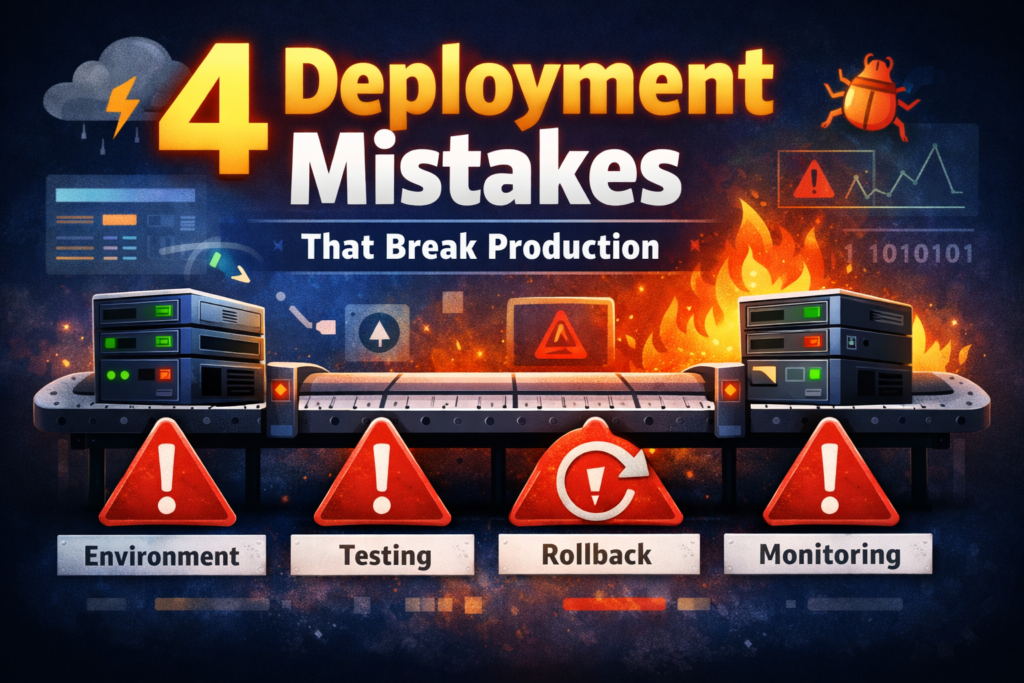
In this article, we’ll explore four critical deployment mistakes developers frequently make, why they happen, and how you can avoid them to ensure smoother and safer releases.
Whether you’re deploying a small side project or a large production system, these lessons can save you from stressful late-night rollbacks and emergency fixes.
1. Deploying Without Proper Environment Separation
The Mistake
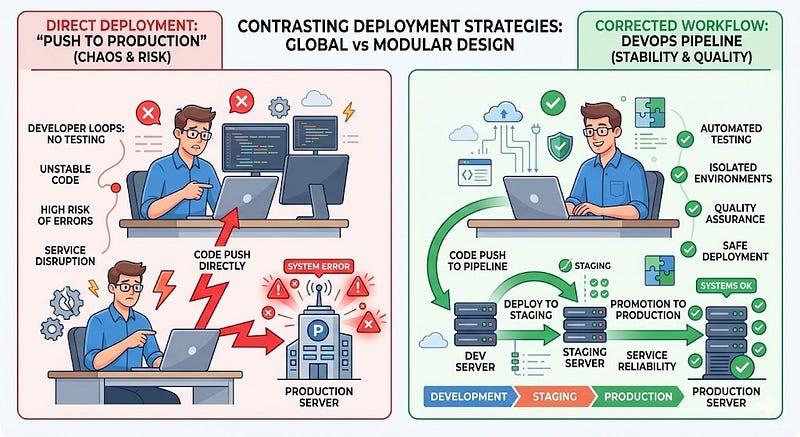
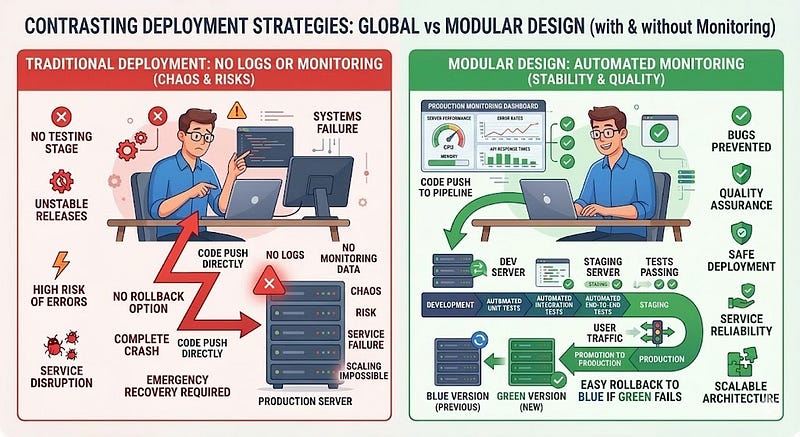
One of the most dangerous deployment mistakes is mixing development, staging, and production environments.
Many developers test features directly in production or use the same database across multiple environments.
This approach might work initially, but it introduces major risks.
Why This Happens
When projects are small, developers often prioritize speed over structure. Setting up multiple environments can feel unnecessary at first.
So the workflow becomes:
- Write code
- Push changes
- Deploy directly to production
Unfortunately, this shortcut often leads to broken systems.
Example Scenario
Imagine you add a new database column in development:
ALTER TABLE users ADD COLUMN profile_image TEXT;
Your code now expects this column to exist.
If production doesn’t have the same schema, the application crashes when it tries to access profile_image.
Users suddenly see errors, even though everything worked perfectly on your machine.
The Solution
Create separate environments for development, staging, and production.
A typical setup includes:
- Development: local testing and feature development
- Staging: production-like environment for testing
- Production: live system used by customers
Why This Works
Environment separation allows you to:
- test changes safely
- replicate production behavior
- catch issues before users see them
Example Workflow
A safer deployment process looks like this:
- Develop locally
- Push code to the repository
- Deploy automatically to staging
- Test features thoroughly
- Deploy to production
Pro Tip
Use environment variables for configuration differences:
NODE_ENV=production
DATABASE_URL=production_db
API_KEY=secure_key
Never hard-code environment-specific values in your application.
2. Skipping Automated Testing Before Deployment
The Mistake
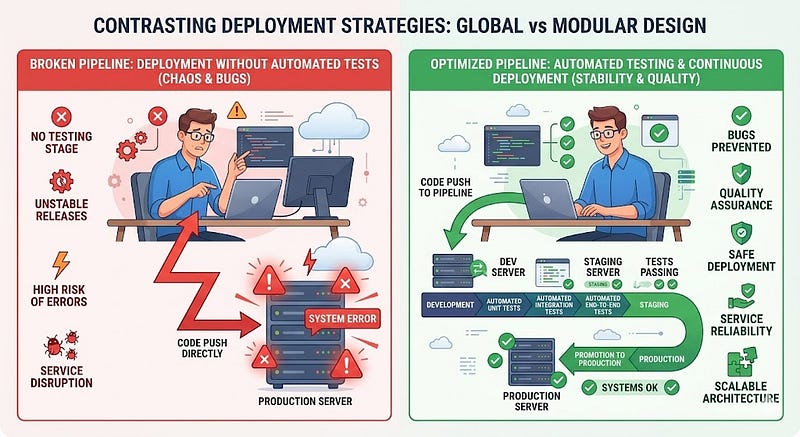
Many developers rely only on manual testing before deploying code.
While manual testing is important, it cannot reliably catch every issue, especially in complex systems.
Skipping automated tests significantly increases the risk of introducing bugs into production.
Why This Happens
Common reasons developers skip automated testing include:
- Tight deadlines
- Small teams
- Overconfidence in manual testing
But even experienced developers make mistakes, and manual testing often misses edge cases.
Example Problem
Suppose you update a function used across multiple features.
Original function:
function calculateTotal(price, tax) {
  return price + tax;
}
Updated version:
function calculateTotal(price, tax) {
  return (price + tax).toFixed(2);
}
This change may break other parts of the system that expect a number instead of a string.
Without automated tests, this bug could reach production unnoticed.
The Solution
Implement automated testing as part of your deployment pipeline.
Types of useful tests include:
- Unit tests: verify individual functions
- Integration tests: ensure components work together
- End-to-end tests: simulate real user behavior
Example unit test:
test("calculateTotal returns correct value", () => {
  expect(calculateTotal(10, 2)).toBe(12);
});
Why This Works
Automated tests help you:
- Catch regressions early
- Maintain confidence in deployments
- Reduce manual verification work
Pro Tip
Use Continuous Integration (CI) tools such as:
- GitHub Actions
- GitLab CI
- Jenkins
- CircleCI
These systems automatically run tests every time you push code.
If tests fail, deployment stops.
3. Ignoring Rollback Strategies
The Mistake
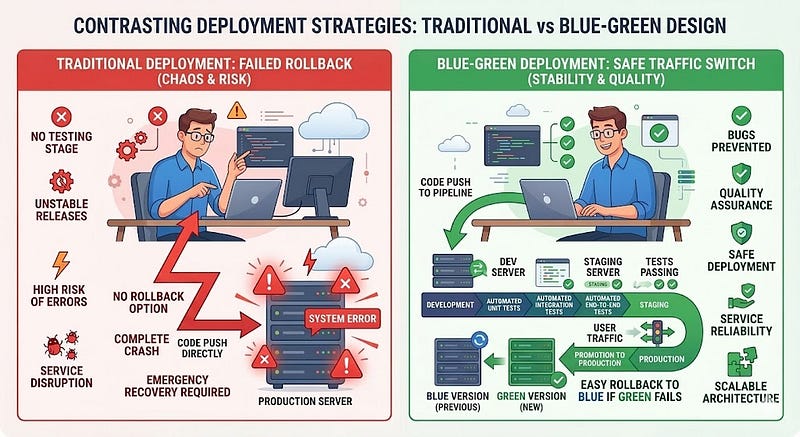
Many teams deploy new versions without preparing a rollback plan.
When something goes wrong, developers scramble to fix the issue while the system remains broken.
Without a rollback strategy, recovery becomes slow and stressful.
Why This Happens
Developers often assume:
“If something breaks, we’ll just fix it quickly.”
But production issues are rarely that simple.
Problems can involve:
- database migrations
- dependency conflicts
- unexpected user behavior
- infrastructure failures
Example Scenario
You deploy a new feature that accidentally introduces a memory leak.
Within minutes, servers begin crashing due to high memory usage.
If you cannot quickly revert to the previous version, the system remains unstable.
The Solution
Always prepare a rollback mechanism before deploying.
There are several common strategies:
Versioned Deployments
Keep previous versions available so you can switch instantly.
Example:
app-v1
app-v2
app-v3
If app-v3 fails, revert to app-v2.
Blue-Green Deployments
Run two environments:
- Blue: current production version
- Green: new version being deployed
If the new version fails, traffic switches back instantly.
Why This Works
Rollback strategies allow you to:
- recover from failures quickly
- minimize downtime
- protect user experience
Pro Tip
Automate rollbacks when possible. Many cloud platforms support automatic rollback if health checks fail.
4. Deploying Without Monitoring and Logging
The Mistake
Some developers deploy applications without proper monitoring.
When issues appear in production, they have no visibility into what went wrong.
Without logs or metrics, debugging becomes guesswork.
Why This Happens
Developers often focus on writing features but overlook observability tools.
Everything seems fine until something breaks.
Example Problem
A production API suddenly becomes slow.
Users complain about long loading times.
Without monitoring, developers cannot easily determine whether the problem is:
- database queries
- network latency
- server CPU usage
- memory leaks
The Solution
Implement monitoring and logging systems before deploying.
Important areas to track include:
- server performance
- error rates
- API response times
- database queries
Example logging code:
console.error("User login failed", {
  userId,
  timestamp: new Date()
});
Monitoring Tools
Popular tools include:
- Prometheus
- Grafana
- Datadog
- New Relic
- Sentry
Why This Works
Monitoring allows developers to:
- detect issues early
- analyze system performance
- fix problems quickly
Pro Tip
Set up alerts for critical metrics such as:
- high error rates
- slow response times
- server crashes
This ensures problems are detected before they affect too many users.
Conclusion
Deployment isn’t just about pushing code to a server; it’s about delivering reliable software to real users.
Many production disasters happen because teams overlook small but critical details during deployment.
By avoiding these four common mistakes, you can dramatically improve the stability and safety of your releases.
Key Takeaways
Before deploying your next update, make sure you:
✔ Separate development, staging, and production environments
✔ Run automated tests before releasing code
✔ Prepare rollback strategies for fast recovery
✔ Implement monitoring and logging for visibility
Great developers don’t just write working code; they build systems that remain stable even when things go wrong.
By strengthening your deployment process, you reduce stress, prevent downtime, and build trust with users.
What’s the worst deployment issue you’ve ever faced?
Share your story in the comments. Your experience might help another developer avoid the same mistake.
If you found this article useful, save it, share it with your team, and follow for more practical software engineering insights.






Leave a Reply