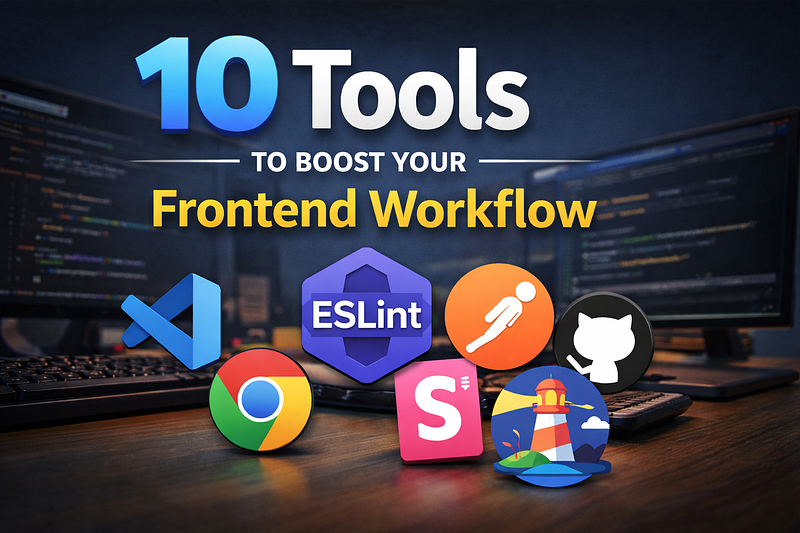
Streamline your frontend development process with tools that save time, reduce errors, and make your code more maintainable. These ten essentials will transform how you build modern web apps.
Introduction
Frontend development has come a long way. From simple HTML and CSS to complex single-page applications with React, Vue, or Svelte, the modern frontend stack can feel overwhelming. You juggle multiple tasks: building components, managing state, optimizing performance, testing, and deploying.
Over the years, I’ve discovered that the right tools can drastically improve productivity and reduce frustration. Using a few bad or outdated tools can slow you down more than you realize, while adopting the right ones can make development smoother and more enjoyable.
In this article, I’m sharing 10 tools that will improve your frontend workflow, whether you’re building a small website or a complex web app. These are battle-tested, practical, and widely used in modern development.
1. Visual Studio Code (VS Code)

VS Code isn’t just a code editor; it’s a full development environment.
Why does it improve workflow?
- Extensions: Prettier, ESLint, GitLens, Live Server
- Intelligent autocomplete and type hinting for JavaScript, TypeScript, and frameworks
- Integrated terminal and Git support
Pro Tip: Customize your keybindings and snippets to save seconds on repetitive tasks.
2. Prettier & ESLint

Code formatting and linting are critical for maintainable code.
- Prettier: Automatically formats code according to consistent style rules
- ESLint: Detects syntax errors, anti-patterns, and style violations
Benefit: Less bike-shedding in code reviews and fewer bugs caused by inconsistent style or subtle mistakes.
3. Postman or Insomnia

Testing APIs is a common frontend task. Postman or Insomnia helps you:
- Send requests to your backend APIs
- Test REST, GraphQL, and WebSocket endpoints
- Save environments and workflows for quick reuse
Pro Tip: Use Postman’s automated testing features to validate endpoints while developing.
4. Chrome DevTools / Browser DevTools
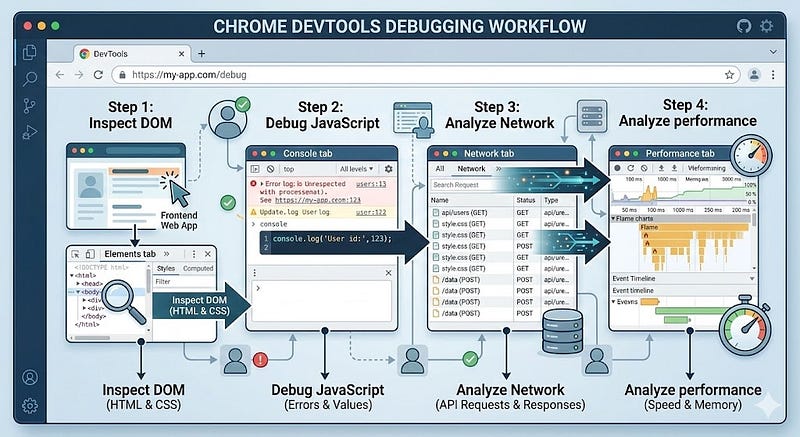
A powerful, underutilized tool.
- Inspect DOM and CSS in real-time
- Debug JavaScript with breakpoints
- Analyze network performance, memory usage, and load times
Shortcut: Press Ctrl+Shift+I or Cmd+Option+I to open DevTools instantly.
5. Webpack / Vite / Parcel
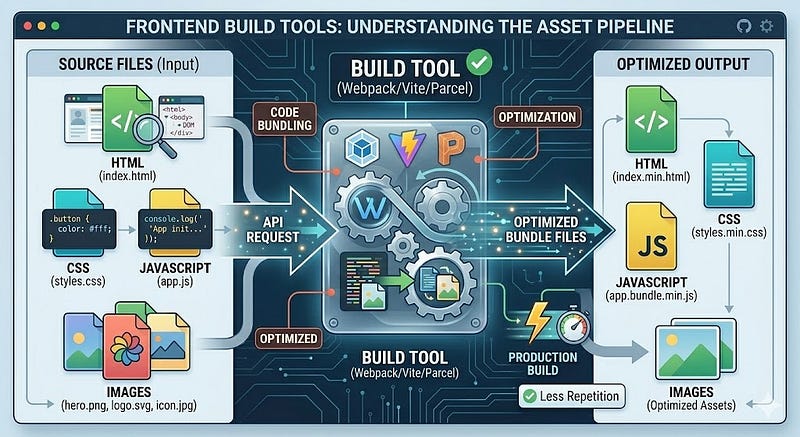
Bundlers and build tools help you manage and optimize assets.
- Webpack: Customizable, supports advanced optimizations
- Vite: Fast, modern development with hot module replacement
- Parcel: Zero-config bundler for small projects
Why it improves workflow: Faster builds, code splitting, and automatic optimization for production.
6. Storybook
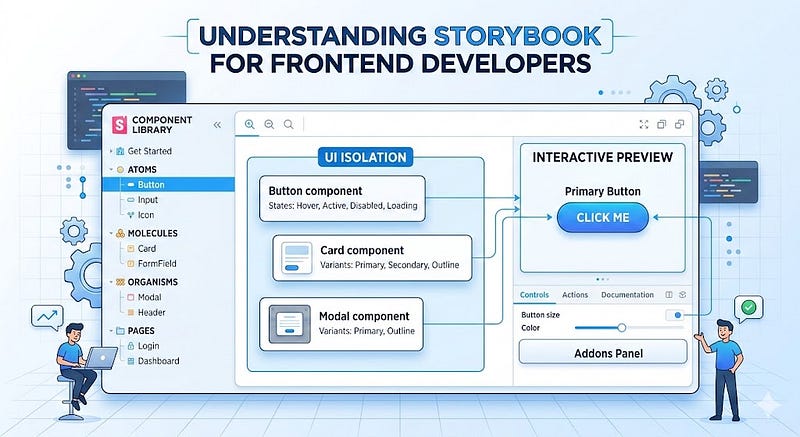
Developing UI components in isolation improves consistency and reduces bugs.
Storybook enables:
- Isolated component development
- Documentation for your components
- Testing and interactive previews
Pro Tip: Integrate Storybook with testing libraries for visual regression tests.
7. Git & GitHub / GitLab
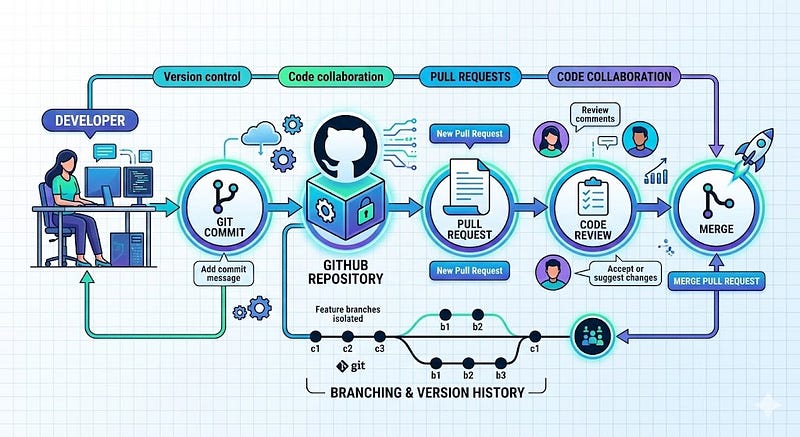
Version control is non-negotiable. Git keeps your workflow organized and reduces risk:
- Branching strategies (Git Flow, GitHub Flow)
- Pull requests for code review
- History and rollback in case of mistakes
Pro Tip: Combine Git with CI/CD pipelines to automatically build and test code on commits.
8. Figma or Sketch
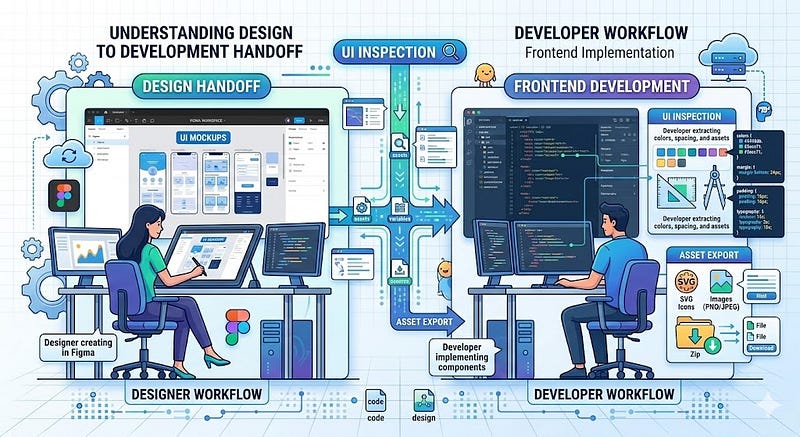
Collaboration with designers is smoother when you have the right design tools.
- Inspect designs, extract colors, and assets
- Export SVGs, PNGs, and CSS snippets
- Prototype interactions for development reference
Benefit: Reduces miscommunication and ensures your UI matches the design spec.
9. Lighthouse / PageSpeed Insights
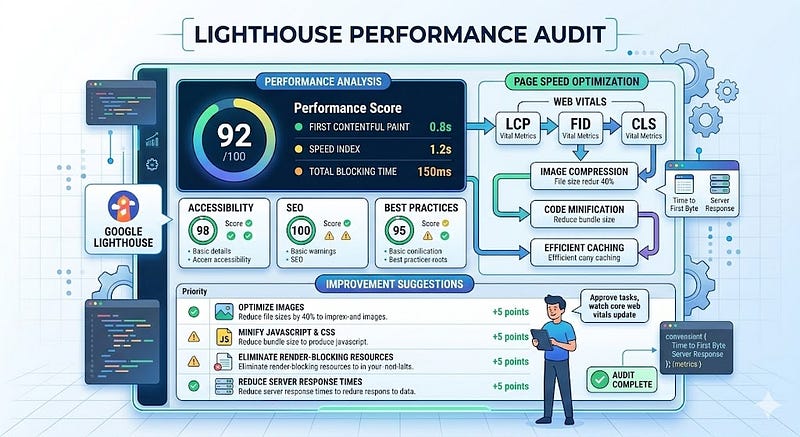
Performance matters. Frontend developers should measure and optimize web performance:
- Lighthouse audits accessibility, SEO, performance, and best practices
- Provides actionable suggestions for improvement
- Tracks performance regressions over time
Pro Tip: Integrate Lighthouse into your CI/CD pipeline for continuous monitoring.
10. BrowserSync / Live Server
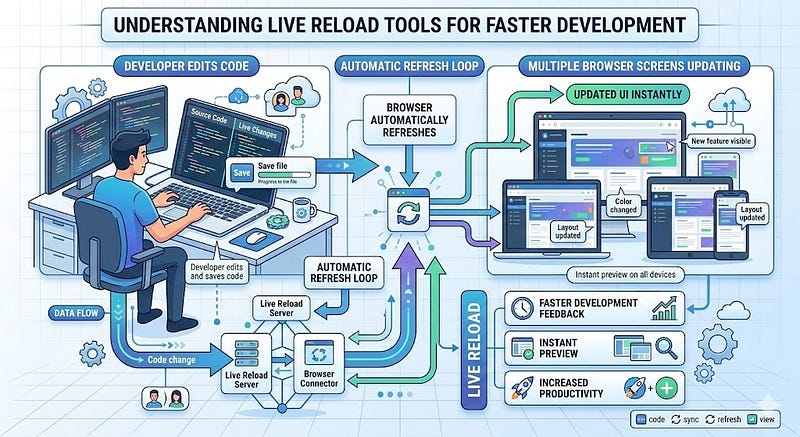
Immediate feedback speeds up development.
- BrowserSync / Live Server: Reload the browser automatically on code changes
- Works with HTML, CSS, JS, and frameworks
- Optional cross-device synchronization
Pro Tip: Pair with the VS Code Live Server extension for instant previews.
Key Takeaways
- A powerful code editor (VS Code) is essential.
- Formatting & linting (Prettier, ESLint) reduce bugs and maintain consistency.
- API testing tools (Postman, Insomnia) save debugging time.
- Master browser DevTools for debugging and performance tuning.
- Use modern build tools (Webpack, Vite, Parcel) for fast and optimized builds.
- Storybook helps you develop UI components in isolation.
- Git workflows prevent mistakes and enable collaboration.
- Design tools (Figma, Sketch) ensure pixel-perfect implementation.
- Performance audits (Lighthouse) keep apps fast.
- Live reload tools speed up development feedback loops.
Next Steps
- Evaluate your current workflow and identify bottlenecks
- Integrate at least two tools you aren’t currently using
- Share your workflow with teammates to standardize practices
- Continuously explore updates in tooling to stay efficient
Strong Call to Action:
Try adding one of these tools to your workflow this week. Even small improvements compound over time, and your future self (and team) will thank you.






Leave a Reply