
Unlock hidden patterns, performance tips, and best practices in React Hooks that most developers overlook, but that can make your components cleaner, faster, and more maintainable.

Introduction
React Hooks have revolutionized how we write functional components, enabling state, side effects, and context without classes.
Most developers know useState, useEffect, and useContext. But there’s a lot more under the hood that can help you write cleaner, more efficient React code.
In this article, we’ll explore 10 lesser-known facts and techniques about React Hooks, with practical examples you can start using today.
1. Hooks Must Always Be Called at the Top Level

What You Might Miss
if (someCondition) {
  const [count, setCount] = useState(0); // ❌ This is invalid
}
React Hooks cannot be called conditionally or inside loops.
Why
Hooks rely on the call order to associate state with a component. Breaking the order leads to bugs and errors like:
Hooks can only be called inside the body of a function component
Correct Usage
const [count, setCount] = useState(0);

if (someCondition) {
  // use count here safely
}
Key Takeaway: Always call Hooks at the top level of your component.
2. You Can Create Custom Hooks to Reuse Logic
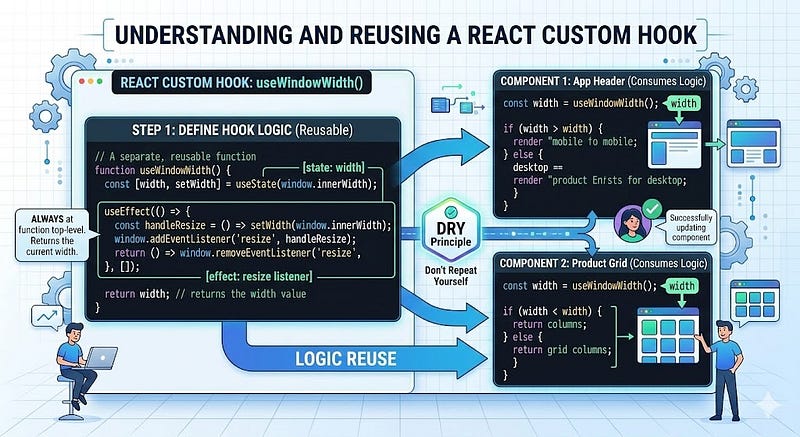
Custom hooks allow extracting repeated logic while keeping your components clean.
Example
function useWindowWidth() {
  const [width, setWidth] = useState(window.innerWidth);

  useEffect(() => {
    const handleResize = () => setWidth(window.innerWidth);
    window.addEventListener('resize', handleResize);
    return () => window.removeEventListener('resize', handleResize);
  }, []);
  return width;
}
Usage:
function MyComponent() {
  const width = useWindowWidth();
  return <div>Window width: {width}</div>;
}
Key Takeaway: Custom Hooks promote DRY code and composable logic.
3. useEffect Runs After Every Render by Default

useEffect(() => {
  console.log('Effect ran!');
});
- Without dependencies, it runs after every render.
- With
[], it runs once on the mount. - With
[dep], it runs when dep changes.
Hidden Tip
You can combine effects efficiently:
useEffect(() => {
  const timer = setInterval(() => console.log('Tick'), 1000);
  return () => clearInterval(timer);
}, []);
Always clean up side effects to avoid memory leaks.
4. useMemo and useCallback Are About Performance, Not State
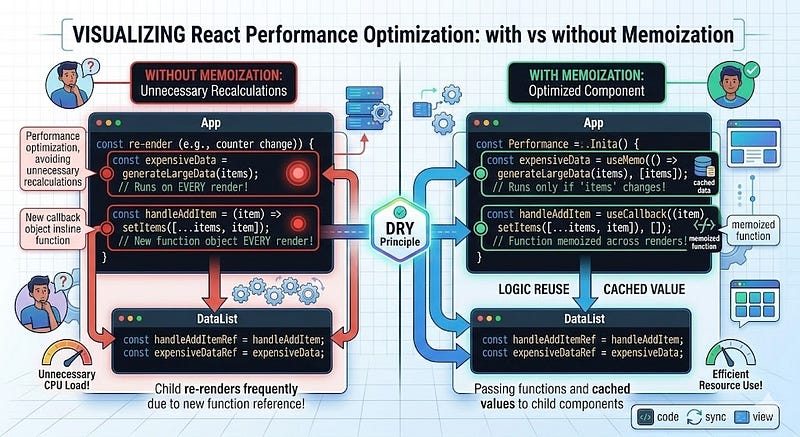
A common misconception
const memoizedValue = useMemo(() => expensiveCalculation(), []);
useMemodoes not make your component faster by itself.- It avoids recalculating values if dependencies haven’t changed.
Similarly:
const memoizedCallback = useCallback(() => doSomething(), []);
- Useful when passing callbacks to children to avoid unnecessary renders.
- Overusing it for every function can add complexity without benefit.
5. You Can Use useRef for More Than DOM References

useRef is often used to reference DOM elements:
const inputRef = useRef();
<input ref={inputRef} />
But it can also store mutable values that persist across renders without causing rerenders:
const countRef = useRef(0);
countRef.current += 1;
Key Use Cases
- Storing timers (
setTimeoutIDs) - Previous props or state values
- External library instances
6. useReducer Can Replace Complex useState Logic

Instead of multiple useState calls:
const [count, setCount] = useState(0);
const [text, setText] = useState('');
Use useReducer for related state logic:
function reducer(state, action) {
  switch(action.type) {
    case 'increment': return {...state, count: state.count + 1};
    case 'setText': return {...state, text: action.text};
    default: return state;
  }
}

const [state, dispatch] = useReducer(reducer, { count: 0, text: '' });
Benefits
- Centralized state logic
- Easier to debug
- Better for complex state transitions
7. Effects Can Return Cleanup Functions

useEffect(() => {
  const id = setInterval(() => console.log('Tick'), 1000);
  return () => clearInterval(id); // cleanup
}, []);
- The cleanup runs before the component unmounts
- Or before the effect runs again if dependencies change
Key Takeaway: Always clean timers, subscriptions, and event listeners.
8. You Can Optimize Context with useMemo

Using useContext naively can trigger unnecessary renders.
const value = { count, increment };
return <MyContext.Provider value={value}>...</MyContext.Provider>;
- Every render creates a new object → triggers consumers
- Optimize with
useMemo:
const value = useMemo(() => ({ count, increment }), [count]);
return <MyContext.Provider value={value}>...</MyContext.Provider>;
Key Takeaway: Memoize context values to reduce re-renders.
9. You Can Access Previous Props or State
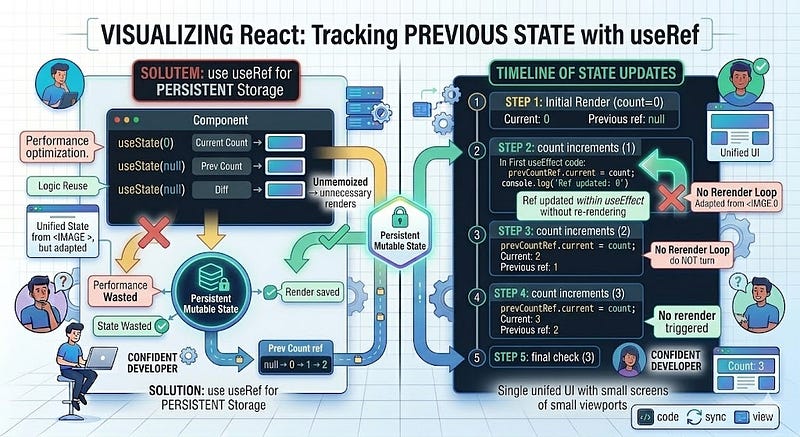
Hooks don’t automatically store previous values, but you can track them with useRef:
function usePrevious(value) {
  const ref = useRef();
  useEffect(() => { ref.current = value; });
  return ref.current;
}

const prevCount = usePrevious(count);
Key Takeaway: Access previous state or props safely without triggering rerenders.
10. Hooks Can Be Composed for Reusable Patterns
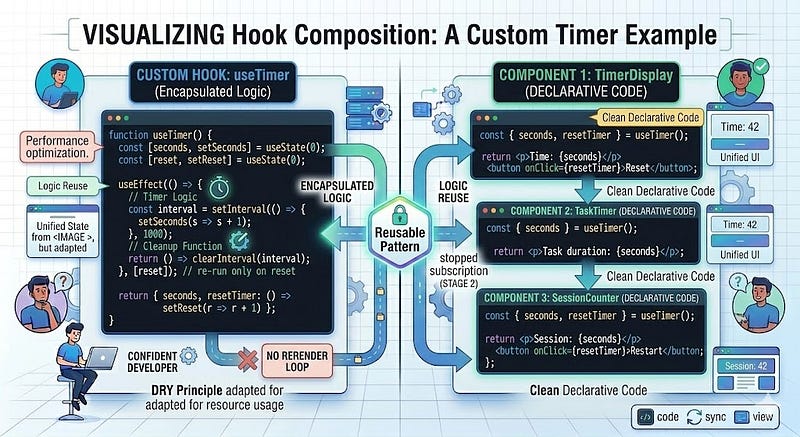
Hooks are composable. You can combine multiple hooks into higher-level abstractions:
function useTimer() {
  const [seconds, setSeconds] = useState(0);

  useEffect(() => {
    const interval = setInterval(() => setSeconds(s => s + 1), 1000);
    return () => clearInterval(interval);
  }, []);
  const reset = () => setSeconds(0);
  return { seconds, reset };
}

function TimerDisplay() {
  const { seconds, reset } = useTimer();
  return <div>Seconds: {seconds} <button onClick={reset}>Reset</button></div>;
}
- Encapsulate logic
- Reuse across components
- Keep components clean and declarative
Key Takeaways
- Always call Hooks at the top level
- Custom Hooks promote reusable logic
- useEffect needs dependency awareness
- useMemo/useCallback optimize performance only when needed
- useRef stores mutable values without rerenders
- useReducer simplifies complex state
- Cleanup effects properly
- Memoize context values to reduce unnecessary renders
- Track previous values with
useRef - Compose Hooks for clean, reusable patterns
React Hooks unlock the full power of functional components, but many subtle features go unnoticed. Understanding them makes your code cleaner, faster, and easier to maintain.
Strong Call to Action
Take one tip from this list and apply it to your next component.
Share this with a fellow React developer who’s still using classes or useEffect incorrectly and start mastering Hooks like a pro today.







Leave a Reply