
Silent bugs that slip past testing, quietly break production, and how smart developers prevent them.
Hook & Context
Some of the worst bugs in software aren’t the ones that crash your application; they’re the ones that don’t.
These silent failures quietly corrupt data, degrade performance, or create unpredictable behavior while your system appears to work perfectly. Weeks or months later, someone discovers that a small, unnoticed issue has been causing massive problems behind the scenes.
Even experienced developers fall into these traps because many of them don’t trigger obvious errors.
In this article, we’ll explore 10 common situations where your code might fail without you realizing it, why they happen, and how you can protect your applications from them.
If you’ve ever deployed code that worked in testing but behaved strangely in production, this list might explain why.
1. Silent Promise Rejections

Modern JavaScript relies heavily on promises and async operations. But when a promise fails without proper handling, the error can disappear without crashing the app.
Example
fetch("/api/users")
  .then(response => response.json())
  .then(data => {
    displayUsers(data);
  });
If the API request fails, nothing catches the error.
The UI simply doesn’t update.
Why This Happens
Promises must explicitly handle errors using .catch() or try/catch with async functions.
Without it, failures can go unnoticed.
Fix
fetch("/api/users")
  .then(res => res.json())
  .then(data => displayUsers(data))
  .catch(error => console.error("API Error:", error));
Or using async/await:
try {
  const res = await fetch("/api/users");
  const data = await res.json();
  displayUsers(data);
} catch (error) {
  console.error(error);
}
Pro Tip
Use global error logging tools like Sentry or centralized logging to catch silent promise errors.
2. Floating Point Precision Errors

Computers don’t always handle decimals the way humans expect.
Example
0.1 + 0.2 === 0.3
Result:
false
Actual value:
0.30000000000000004
Why This Happens
Most languages store floating-point numbers using binary representation, which cannot precisely represent certain decimals.
Real Problems This Causes
- Payment calculations
- Financial transactions
- Tax calculations
- Analytics metrics
Fix
Use rounding or decimal libraries.
Number((0.1 + 0.2).toFixed(2))
Or libraries like:
- decimal.js
- big.js
Pro Tip
For financial systems, never rely on floating-point arithmetic. Use integers (like cents instead of dollars).
3. Time Zone Bugs
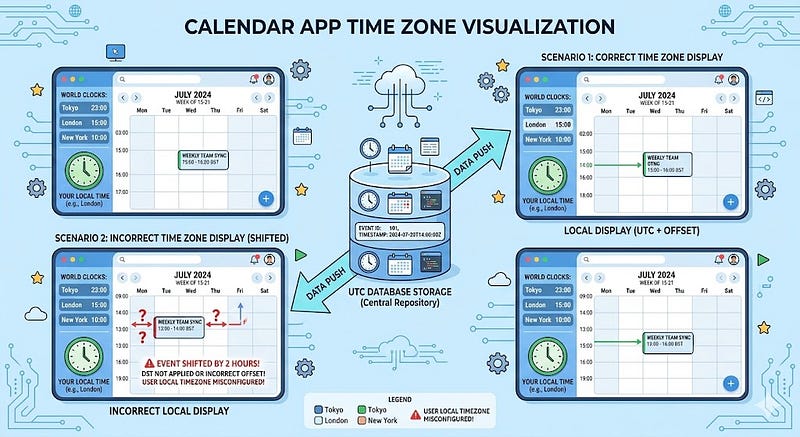
Dates and time zones are infamous for causing hidden bugs.
Your code might work perfectly in your local timezone, but break for users elsewhere.
Example
new Date("2026-03-11")
Depending on the timezone, this may convert differently.
Hidden Issues
- Incorrect deadlines
- Wrong order timestamps
- Scheduled jobs triggering early or late
Why This Happens
Servers, databases, and users often operate in different time zones.
Fix
Store all times in UTC.
new Date().toISOString()
Convert to local time only when displaying to users.
Pro Tip
Always test time-based features with multiple time zones.
4. Race Conditions
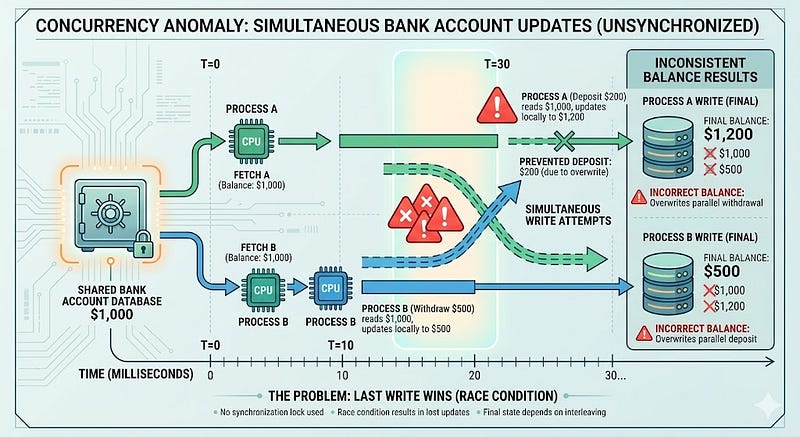
Race conditions happen when multiple processes access shared resources simultaneously.
The code may work most of the time, but occasionally produce incorrect results.
Example
Two requests updating the same user balance.
balance = balance + 100;
If two operations run simultaneously:
Expected:
balance = 200
Actual result might be:
balance = 100
Why This Happens
Operations execute in parallel without proper synchronization.
Fix
Use:
- Database transactions
- Locks
- Atomic operations
Example (SQL transaction):
BEGIN;
UPDATE accounts SET balance = balance + 100 WHERE id = 1;
COMMIT;
Pro Tip
Race conditions often appear only under high traffic, making them hard to detect during development.
5. Memory Leaks

Memory leaks don’t crash your app immediately. Instead, they slowly consume resources until performance collapses.
Example
In JavaScript:
let cache = [];

function storeData(data) {
  cache.push(data);
}
If this runs continuously, memory usage grows indefinitely.
Symptoms
- Gradually slower performance
- Increased RAM usage
- Random crashes after long uptime
Fix
Clean up unused resources.
Example:
cache = cache.slice(-100);
Pro Tip
Use monitoring tools to track memory usage trends in production.
6. Unvalidated User Input
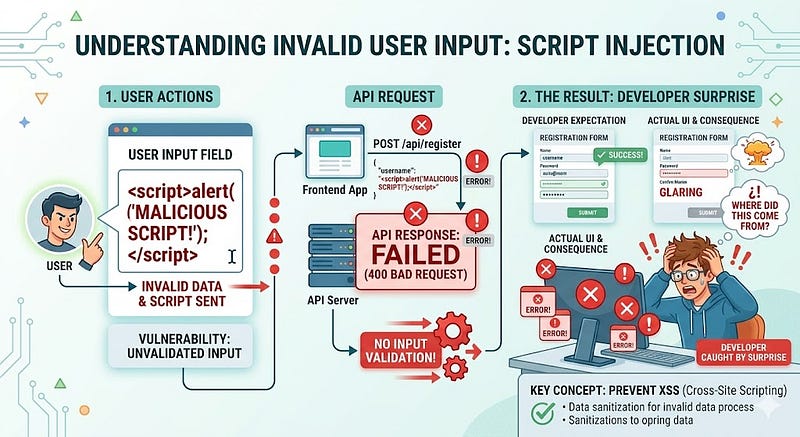
Applications often assume users send valid data.
Attackers and even normal users prove otherwise.
Example
const age = req.body.age;
What if someone sends:
"twenty"
Or:
<script>alert("hack")</script>
Problems This Causes
- Broken logic
- Security vulnerabilities
- SQL injection
- XSS attacks
Fix
Validate and sanitize inputs.
Example:
if (typeof age !== "number") {
  throw new Error("Invalid age");
}
Or use validation libraries.
Pro Tip
Never trust input, even from your own frontend.
7. Dependency Updates Breaking Your Code
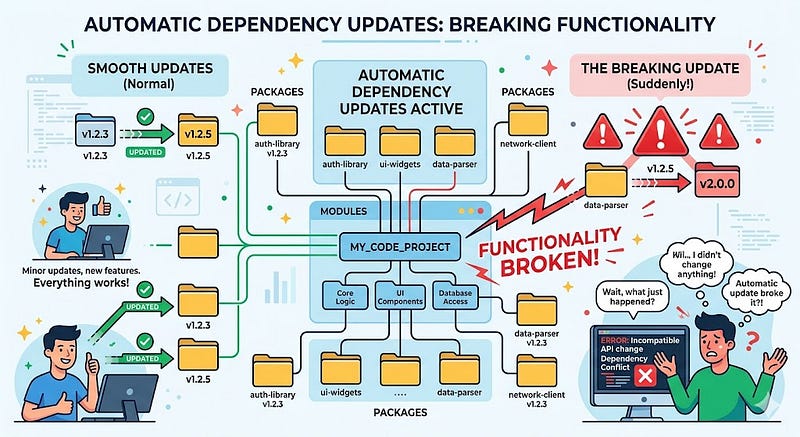
Your code might be perfectly fine, but an updated dependency can introduce breaking changes.
Example
You update packages:
npm update
Suddenly, an API response format changes.
Your code silently breaks.
Why This Happens
Many packages release minor or patch updates that change behavior.
Fix
Use dependency version locking.
Example:
package-lock.json
Or strict versions:
"react": "18.2.0"
Pro Tip
Use tools like Renovate or Dependabot to manage safe updates.
8. Misconfigured Environment Variables
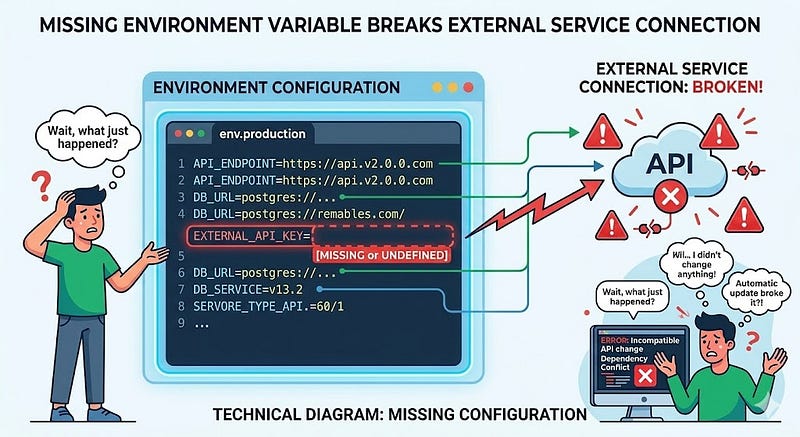
Environment variables control critical behavior like:
- Database connections
- API keys
- Feature flags
A small misconfiguration can break systems quietly.
Example
const apiKey = process.env.API_KEY;
If the variable isn’t set, apiKey becomes:
undefined
The app may still run but external services fail.
Fix
Add validation on startup.
if (!process.env.API_KEY) {
  throw new Error("Missing API_KEY");
}
Pro Tip
Use configuration libraries to enforce required variables.
9. Logic That Works Only With Small Data
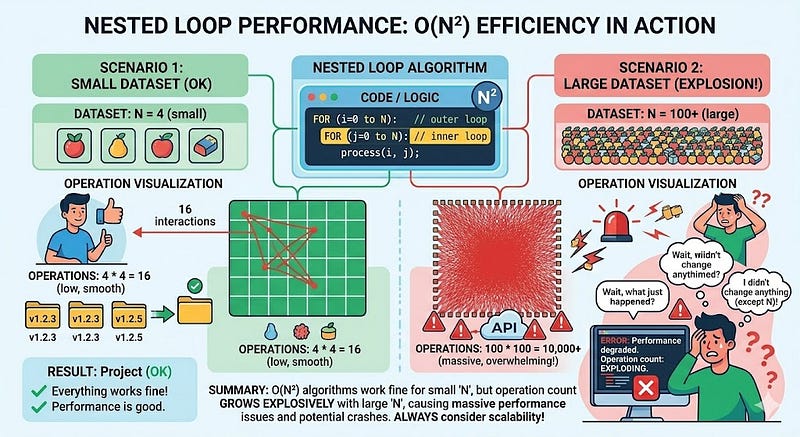
Algorithms that perform well with small datasets can become disastrous at scale.
Example
Nested loops:
for (let i = 0; i < users.length; i++) {
  for (let j = 0; j < orders.length; j++) {
    // processing
  }
}
With:
users = 10
orders = 10
This works fine.
But with:
users = 10000
orders = 10000
Your app performs 100 million operations.
Fix
Use optimized data structures.
Example:
const orderMap = new Map();
Pro Tip
Always consider algorithm complexity (Big O) when working with growing data.
10. Logging That Doesn’t Capture the Right Information

Many systems fail silently because developers log too little or log the wrong things.
Example
console.log("Error occurred");
That message tells you nothing.
Better Logging
console.error("User API failed", {
  userId,
  endpoint: "/users",
  error
});
Why This Matters
Good logs help you:
- Debug production issues
- Trace failures
- Monitor system health
Pro Tip
Use structured logging tools like:
- Winston
- Logstash
- Datadog
Conclusion
Silent failures are the most dangerous bugs in software because they hide in plain sight.
Your application might appear to work while quietly accumulating technical debt, corrupted data, or performance issues.
By watching out for these 10 hidden failure scenarios, you can dramatically improve your software reliability.
Key Takeaways
Be cautious with:
- Unhandled async errors
- Floating-point arithmetic
- Time zones and date logic
- Race conditions
- Memory leaks
- Unvalidated input
- Dependency updates
- Environment configuration
- Algorithm scalability
- Weak logging practices
Great developers don’t just write code that works; they write code that fails safely, predictably, and visibly.
Have you ever discovered a bug months after shipping code?
Share your experience in the comments; it might save another developer hours of debugging.
If you found this article useful, follow for more developer insights and share it with your team.






Leave a Reply